





Maintenance Training for a Global Packaging Leader
Project Snapshot
| Industry | Industrial Operations & Manufacturing |
| Geography | Confidential (Corporate Pitch Demonstration) |
| Audience | Field Engineers & Maintenance Personnel |
| Delivery Format | Custom HTML, CSS & JavaScript (SCORM Compatible) |
| Modules Delivered | 1 Interactive Prototype |
| Total Estimated Seat Time | 15–20 Minutes |
| Languages | English |
| Project Duration | Internal Pitch Demonstration |
Impact at a Glance
Built entirely in HTML, CSS, and JavaScript (no authoring tool)
Fully responsive mobile-first architecture
SCORM-compatible LMS deployment
Scroll-based storytelling with conversational flow
Time-bound knowledge check integration
The Strategic Context
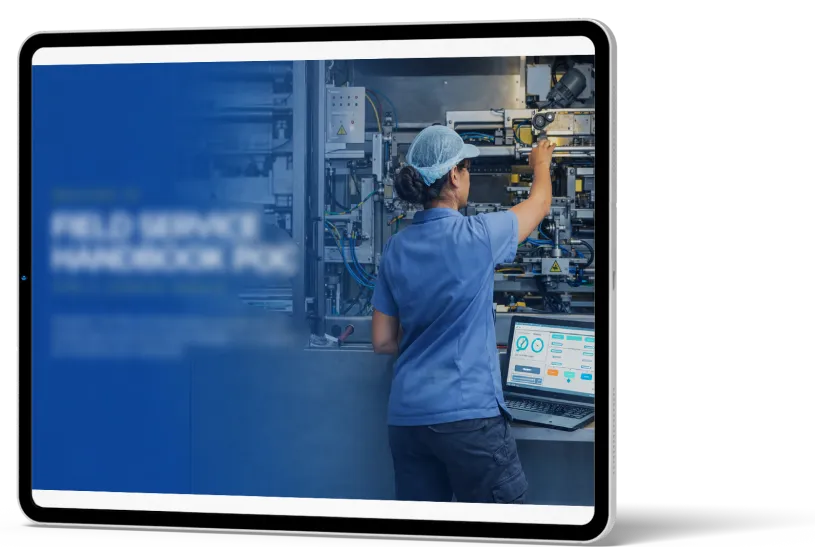
To demonstrate Qquench’s technical capability beyond traditional authoring tools, a fully custom HTML prototype was developed using legacy content from a maintenance training PowerPoint deck.
The selected topic: 6 Steps of Maintenance Execution.
The objective was to:
Transform static PPT content into an interactive web-based experience
Showcase responsive design adaptability
Demonstrate micro-interaction capability
Present a lightweight yet modern alternative to traditional eLearning builds
This prototype served as a corporate pitch sample to illustrate rapid transformation of legacy material into engaging digital learning.
Key Challenges & Constraints
1. Legacy Static
Content
Source material consisted of traditional presentation slides with minimal interactivity.
2. Tool-Free
Development
The module was developed entirely without authoring tools — requiring custom front-end architecture.
3. Responsive
Integrity
The experience needed to perform seamlessly across desktop, tablet, and mobile devices.
4. Lightweight
Deployment
The solution had to remain SCORM-compatible while retaining dynamic interaction.

Our Strategic Approach
Instructional Governance
The prototype followed a behaviour-focused microlearning approach.
Analysis
- Selected a high-impact maintenance topic (6 Steps of Execution)
- Identified behavioural decision points suitable for interaction
Design
- Storyboard-first structure outlining scroll progression and scenario flow
- Converted static slide bullets into conversational narrative
- Designed dropdown-based interaction and timed knowledge checks
Development
- Built using pure HTML, CSS, and JavaScript
- Implemented scroll-triggered animations
- Embedded micro-interactions for progressive reveal
- Integrated time-bound Knowledge Check logic
- Packaged for SCORM LMS deployment
Experience Design Innovation
Scroll-Based
Conversational
Storytelling
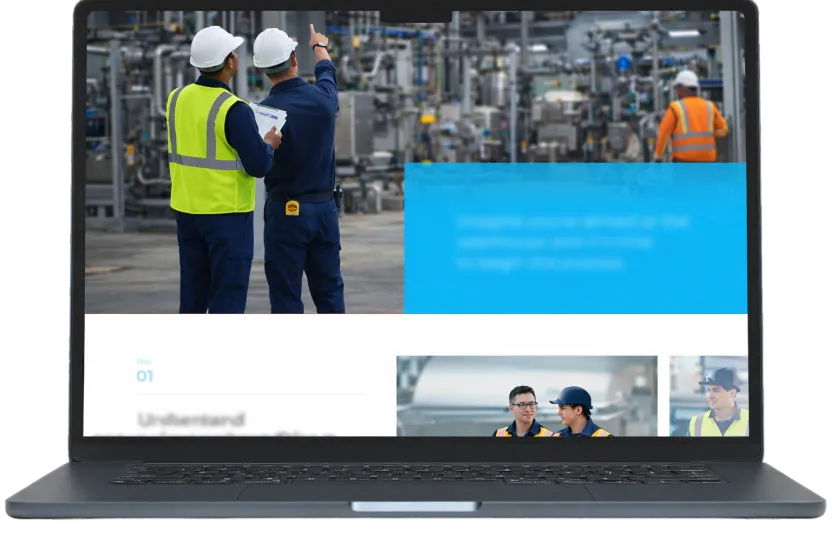
Instead of slide-by-slide navigation, the module used vertical scroll progression to simulate natural information flow.
A scenario-driven conversation unfolded as learners scrolled — mimicking real workplace dialogue.
This created a modern, app-like learning experience.
Behavioural Scenario Integration
Learners encountered a maintenance scenario where team members discussed execution steps.
After the conversation, learners responded to:
- A dropdown selection activity
- A time-bound Knowledge Check
This reinforced behavioural application rather than passive reading.
Fully Responsive Architecture
The interface was designed mobile-first, ensuring:
- Layout adaptability
- Clean typography scaling
- Performance optimisation
This demonstrated Qquench’s front-end development capability in addition to instructional design.
Micro-Interactions & Custom Animation
The prototype included:
- Subtle motion transitions
- Progressive content reveal
- Button hover states
- Scroll-triggered animation cues
These elements elevated UX quality beyond traditional slide-based modules.
Estimated Learning Metrics
(Based on Comparable Responsive Microlearning Deployments)
25–35% HIGHER
INTERACTION RATES
Higher interaction rates compared to static PPT-based conversion, driving engagement improvement
UP TO 30% STRONGER
BEHAVIOURAL RECALL
Interactive microlearning modules show up to 30% stronger behavioural recall, strengthening retention impact
20-30% FASTER
CONSUMPTION
Faster consumption due to scroll-based design, improving completion efficiency
IMPROVED MOBILE
ACCESSIBILITY
Responsive learning improves completion accessibility across device types
Operational Execution timeline
Week 01
Topic Selection + Storyboard
Week 02
UI/UX Design + Front-End Architecture
Week 03
Interaction Build + SCORM Packaging
The prototype was developed rapidly to demonstrate speed-to-concept capability.
Impact Beyond Training
Demonstrated Technical Depth
Showcased Qquench’s ability to build outside traditional authoring ecosystems.
Legacy Modernisation Capability
Proved that static PPT training can be transformed into dynamic, web-native learning.
Rapid Prototyping Advantage
Enabled fast-turnaround demonstration for client pitching.
Cross-Device Scalability
Established foundation for scalable, mobile-ready deployment.
Key Takeaways
Custom HTML Expands Learning Possibilities
Authoring tools are optional — innovation is not.
Legacy Content Can Be Reinvented
Even a single PPT topic can become immersive.
Micro-Interactions Drive Engagement
Small UI enhancements significantly improve learner attention.
Responsive Design Increases Accessibility
Mobile-first architecture improves reach and usability.
FAQS
Q1. Was this built using an authoring tool?
No. The module was developed entirely using HTML, CSS, and JavaScript.
Q2. Was it LMS compatible?
Yes. The prototype was packaged and deployed using SCORM standards.
Q3. Was the design mobile responsive?
Yes. The module was designed mobile-first and optimised for cross-device performance.
Q4. Was this a full course or a demonstration sample?
This was a structured prototype developed to demonstrate transformation of legacy training into modern web-based learning.
Q5. Can this architecture scale into full-length courses?
Yes. The framework can be expanded into modular learning ecosystems or integrated into broader LMS environments.
Through this prototype, Qquench demonstrated how custom HTML development can elevate behavioural training beyond traditional slide conversion — combining instructional clarity, responsive UX design, and technical innovation into scalable digital learning experiences.